PC Watt Calculator: Calculate Desktop Power Consumption and Electricity Cost
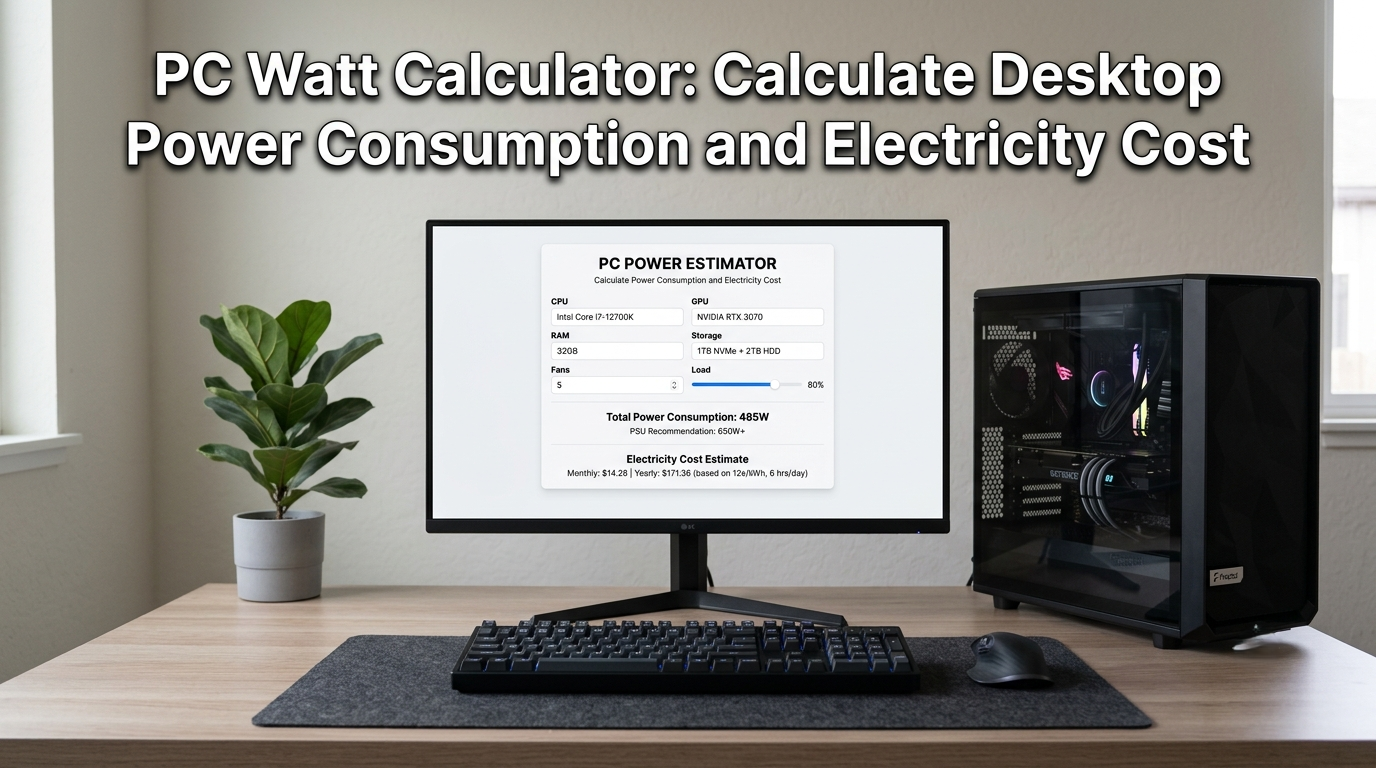
Every time your computer is switched on, it is drawing electricity — and that electricity costs money. For most households and home offices, a PC runs for hours every single day. Yet surprisingly few people know exactly how many watts their system consumes or what that translates to on their monthly bill. A PC Watt Calculator solves this directly: it converts your PC’s power draw into real energy costs so you can understand, track, and reduce what you are spending.
Whether you are searching for a power consumption calculator to plan a new build, trying to figure out how much does a PC cost in electricity after a spike in your energy bill, or simply curious about your desktop computer power consumption, this guide covers everything — with a practical formula, real cost examples, and a clear breakdown by PC type.
Table of contents
- What Is a PC Watt Calculator and Why Does It Matter?
- Desktop Computer Power Consumption Explained
- How to Use a Power Consumption Calculator for Your PC
- How Much Does a PC Cost in Electricity? Real Monthly Examples
- Pros and Cons of Monitoring Your PC Power Consumption
- Which PC Setup Uses the Least Electricity?
- Conclusion
What Is a PC Watt Calculator and Why Does It Matter?
A PC Watt Calculator is a tool or formula that converts your computer’s power draw — measured in watts — into kilowatt-hours (kWh) and then into a currency cost based on your local electricity tariff. The result tells you exactly how much your PC costs to operate per day, per month, or per year.
This matters for several practical reasons. Electricity costs across the UK and Europe have climbed sharply over the past few years. As a result, running the same PC today typically requires a larger share of your budget than it did just a couple of years ago, even if your usage habits have remained unchanged. For gamers running high-wattage systems for four to six hours daily, the annual electricity cost of a desktop can reach figures that rival subscription services or hardware upgrades. For home office workers who leave a desktop running throughout the working day, the cumulative cost across 250 working days per year adds up substantially.
Using a pc energy cost calculator gives you visibility into a real but often invisible household expense — and the first step toward reducing it.
Desktop Computer Power Consumption Explained
Understanding desktop computer power consumption starts with recognizing that a PC is not a single device drawing a fixed wattage. It is a collection of components — CPU, GPU, motherboard, RAM, storage drives, fans, and PSU — each drawing its own share of power, and that total fluctuates based on what the system is doing at any given moment.
A PC at idle — sitting at the desktop with no demanding tasks running — draws far less power than the same PC running a graphically intensive game or rendering video. This is why power consumption is typically expressed as a range rather than a single figure, and why a pc load calculator that accounts for usage patterns produces more accurate cost estimates than one that uses peak wattage alone.
How Many Watts Does a PC Use? Typical Ranges
The following wattage ranges cover the most common PC categories under typical mixed-use conditions (not peak load):
- Basic office desktop: 50 to 150 watts
- Mid-range home PC: 100 to 250 watts
- Gaming PC (mid-range GPU): 200 to 400 watts
- High-end gaming or creative workstation: 400 to 700 watts
- Enthusiast or dual-GPU workstation: 600 to 1,000 watts
Peripherals add to these figures. A standard monitor adds 20 to 40 watts. Speakers, external hard drives, and USB hubs each add small but cumulative amounts. A full desktop setup — tower, monitor, and peripherals — typically runs 15 to 20 percent higher than the PC alone.
To estimate the energy consumption of your desktop PC and other household devices, use our Home Appliance Energy Calculator.
Gaming PC Watt Usage vs Office PC vs Workstation
Gaming PC watt usage stands out most clearly when compared to office and workstation setups. The primary driver is the graphics card. A mid-range gaming GPU (such as an RTX 3060 class card) draws 170 watts under full load on its own — more than an entire basic office desktop. High-end gaming GPUs regularly exceed 300 to 350 watts individually.
An office PC built around integrated graphics, a low-power CPU, and an SSD draws a fraction of that. A workstation with professional GPU hardware for rendering or CAD sits between the two in pure power terms but often runs at sustained high load for longer periods, pushing monthly costs higher despite similar peak wattage.
How to Use a Power Consumption Calculator for Your PC
Using a power consumption calculator for a PC comes down to three pieces of information: your PC’s wattage, how many hours per day you use it, and your electricity rate. With these three numbers, the calculation is straightforward.
The Watts to kWh PC Calculator Formula
The core watts to kWh pc calculator formula works like this:
Daily kWh = (Watts × Hours per day) ÷ 1,000
Monthly kWh = Daily kWh × 30
Monthly cost = Monthly kWh × Electricity rate (per kWh)
Working through a practical example: a gaming PC drawing 350 watts, used for five hours daily, with an electricity rate of 28 pence per kWh (approximate UK average as of 2024):
- Daily kWh = (350 × 5) ÷ 1,000 = 1.75 kWh
- Monthly kWh = 1.75 × 30 = 52.5 kWh
- Monthly cost = 52.5 × £0.28 = £14.70 per month
- Annual cost = £14.70 × 12 = £176.40 per year
This is the real answer to how much does a PC cost in electricity — not a generic estimate, but a number calculated from your actual usage pattern.
You can calculate your desktop’s monthly electricity expenses using our Electricity Bill Calculator.
How Much Does a PC Cost to Run in the UK?
How much does a PC cost to run in the UK depends directly on the electricity tariff at the time of calculation. UK energy prices are set by the energy price cap, which Ofgem reviews quarterly. As a working reference for 2024, a unit rate of approximately 24 to 29 pence per kWh covers most standard tariffs.
Using these rates and the formula above, a basic office desktop used eight hours per day costs roughly £3 to £5 per month in the UK. A mid-range gaming PC used four hours per day costs approximately £8 to £14 per month. A high-end gaming rig used for six hours daily can reach £20 to £30 per month or more, placing annual PC electricity costs for heavy gamers in the £240 to £360 range — a figure that surprises many users when they see it calculated directly.
How Much Does a PC Cost in Electricity? Real Monthly Examples
Concrete examples make the PC Watt Calculator results easier to interpret. The figures below use 28 pence per kWh and reflect full setup costs including a monitor and standard peripherals.
| PC Type | Est. Wattage | Daily Use | Monthly kWh | Monthly Cost (UK) |
|---|---|---|---|---|
| Basic office desktop | 90W | 8 hrs | 21.6 kWh | ~£6.05 |
| Mid-range home PC | 180W | 5 hrs | 27 kWh | ~£7.56 |
| Gaming PC (mid GPU) | 320W | 4 hrs | 38.4 kWh | ~£10.75 |
| High-end gaming rig | 550W | 5 hrs | 82.5 kWh | ~£23.10 |
| Creative workstation | 450W | 8 hrs | 108 kWh | ~£30.24 |
These figures highlight why understanding desktop computer power consumption matters differently depending on usage type. A creative professional running a workstation for a full eight-hour day generates nearly five times the monthly electricity cost of a casual user on a basic machine.
If you’re comparing different devices, read our How Many Watts Does a Laptop Use guide to see how laptops compare with desktop PCs.
Pros and Cons of Monitoring Your PC Power Consumption
Why Tracking Power Usage Pays Off
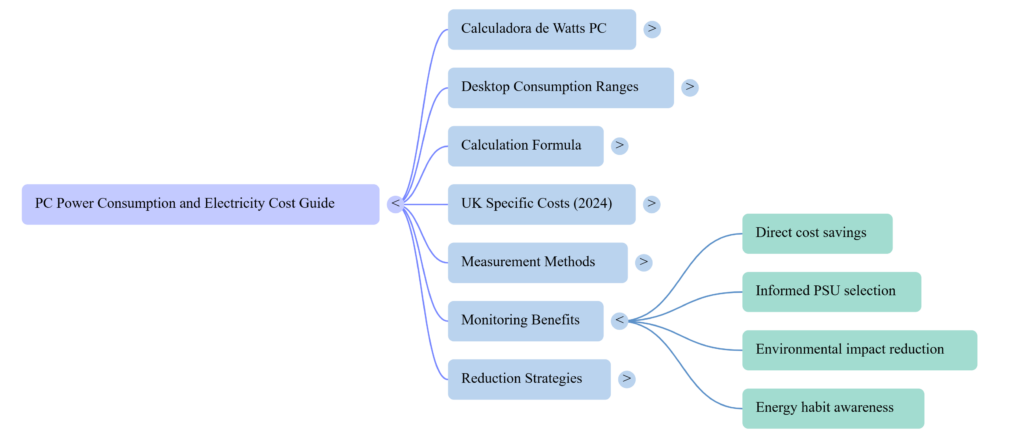
Direct cost savings: Identifying high-consumption components — often the GPU or an aging PSU with poor efficiency — opens the door to targeted upgrades that reduce bills without sacrificing performance.
Better PSU selection: Users planning or upgrading a build who use a psu wattage calculator to add up component loads avoid both underpowered PSUs (which cause instability) and massively oversized ones (which run inefficiently at low loads).
Energy habit awareness: Knowing that a high-end gaming PC left in sleep-but-not-off mode still draws 5 to 15 watts continuously motivates small behavioral changes — like fully shutting down when not in use — that accumulate into meaningful savings over a year.
Environmental benefit: Lower power consumption directly reduces the carbon associated with powering your setup, particularly relevant as households look for practical ways to reduce their environmental footprint without major lifestyle changes.
Limitations and Practical Challenges
Measurement requires extra tools: The most accurate way to measure real PC power draw is with a plug-in energy monitor (sometimes called a smart plug with energy monitoring). Without one, wattage estimates based on component TDP ratings are approximate and typically higher than real-world draw.
Usage patterns vary: The pc electricity cost per month formula assumes consistent daily usage. In practice, some days involve light browsing while others involve hours of gaming or video rendering. Averaging across usage types gives a more realistic monthly figure than using peak load exclusively.
Gamers can also compare desktop power usage with consoles in our Games Console Electricity Usage Charge guide.
Component wear affects draw: An aging PSU operating below its efficiency curve, a GPU with degraded thermal paste, or a system with too many background processes all draw more power than a well-maintained equivalent. Monitoring catches these inefficiencies over time.
Which PC Setup Uses the Least Electricity?
For users whose primary concern is minimizing pc electricity consumption per hour, several build and usage choices deliver meaningful reductions without sacrificing usability.
Mini PC and NUC-style systems are the clear efficiency leaders for office and light home use, typically drawing 15 to 35 watts under load — a fraction of a full tower desktop. For tasks that do not require discrete GPU power, these systems are genuinely excellent at holding down electricity costs.
Laptops used as desktops (connected to an external monitor) typically draw 30 to 65 watts under moderate load, making them significantly cheaper to run than full desktop towers for equivalent productivity workloads.
Efficient GPU selection is the single largest lever for gaming PCs. Moving from a 300-watt GPU to a 200-watt equivalent with similar performance — something that has become increasingly achievable with newer GPU generations — reduces monthly gaming costs by roughly a third.
Power management settings are free and immediate. Enabling balanced or power-saver mode during light tasks, setting monitors to sleep after ten minutes of inactivity, and using the system’s built-in power plan scheduler for working hours versus off-hours reduces consumption without any hardware investment.
For anyone who wants the most accurate assessment, a plug-in energy monitor placed between the PC power cable and the wall socket measures actual consumption in real time and logs usage patterns — giving you the real input for your PC Watt Calculator theoretical estimate.
Conclusion
A PC Watt Calculator is not just a curiosity — it is a practical tool that turns an invisible ongoing expense into a number you can act on. Whether you are a home user reviewing your electricity bill, a gamer wondering whether a more efficient GPU would pay for itself, or a professional running a workstation for long daily sessions, knowing your desktop computer power consumption gives you the baseline for every decision that follows.
The formula is simple: watts multiplied by hours divided by 1,000 gives you daily kWh. Multiply by your tariff rate and you have a real monthly cost. Apply it to your current setup, compare it against the reference figures in this guide, and you will know immediately whether your PC’s energy cost is typical for its category or higher than it needs to be.
For UK users specifically, tracking how much a PC costs to run against quarterly energy price cap changes makes it possible to see exactly how much more or less your setup costs as tariffs shift — and to factor that into purchasing and upgrade decisions with genuine financial clarity.
Explore our Smart Home guides for appliance energy usage, electricity-saving tips, and home efficiency calculators.
Frequently Asked Questions
How do I use a PC Watt Calculator without special equipment?
Start with your PC’s total wattage estimate. Add up the TDP (thermal design power) values for your CPU and GPU from the manufacturer specifications, then add approximately 30 to 50 watts for the motherboard, RAM, storage, and fans combined. This gives a reasonable peak load estimate. For a more accurate idle-to-load range, reduce the peak figure by 40 to 50 percent to represent typical mixed use. Apply the daily formula: (watts × hours) ÷ 1,000 = daily kWh, then multiply by your electricity rate.
How many watts does a typical home desktop PC use?
A typical mid-range home desktop PC draws between 100 and 250 watts during normal use — including browsing, streaming, and light productivity tasks. Under gaming or rendering load, the same system may draw 300 to 500 watts depending on component specifications. At idle with the monitor in sleep mode, most desktops drop to 30 to 80 watts.
How much does a PC cost to run per year in the UK?
Using a UK electricity rate of 28 pence per kWh as a reference: a basic office desktop used eight hours daily costs approximately £60 to £80 per year. A mid-range gaming PC used four hours daily costs approximately £100 to £150 per year. A high-end gaming rig used five to six hours daily can reach £240 to £360 per year. These figures cover the full setup including monitor and peripherals.
Does a gaming PC use significantly more electricity than an office PC?
Yes — by a substantial margin. The difference comes almost entirely from the discrete graphics card. An office PC with integrated graphics draws 50 to 150 watts. A mid-range gaming PC with a dedicated GPU draws 250 to 400 watts at full load. At equivalent daily usage, a gaming rig can cost three to five times more per month to run than a comparable office machine.
What is the most accurate way to measure PC power consumption?
A plug-in energy monitor (also called a smart plug with energy monitoring or a watt meter) connected between your PC’s power cable and the wall socket measures real-time consumption in watts and logs cumulative kWh usage over time. This is significantly more accurate than adding up component TDP values, which represent maximum rated draw rather than actual system behavior under your specific workload.
Can I reduce my PC’s electricity consumption without replacing components?
Yes. Several free or low-cost approaches reduce consumption meaningfully. Enable Windows power management balanced or power-saver mode during light-use periods. Set the monitor to sleep after five to ten minutes of inactivity. Disable RGB lighting on components where possible — multiple RGB fans and strips can add 10 to 20 watts collectively. Ensure the PC is fully shut down rather than left in sleep mode when not in use for extended periods. Clean dust from heatsinks and fans regularly — thermal throttling caused by overheating can cause components to draw inconsistent and elevated power.