UPS Backup Time Calculator: Calculate UPS Battery Runtime Accurately
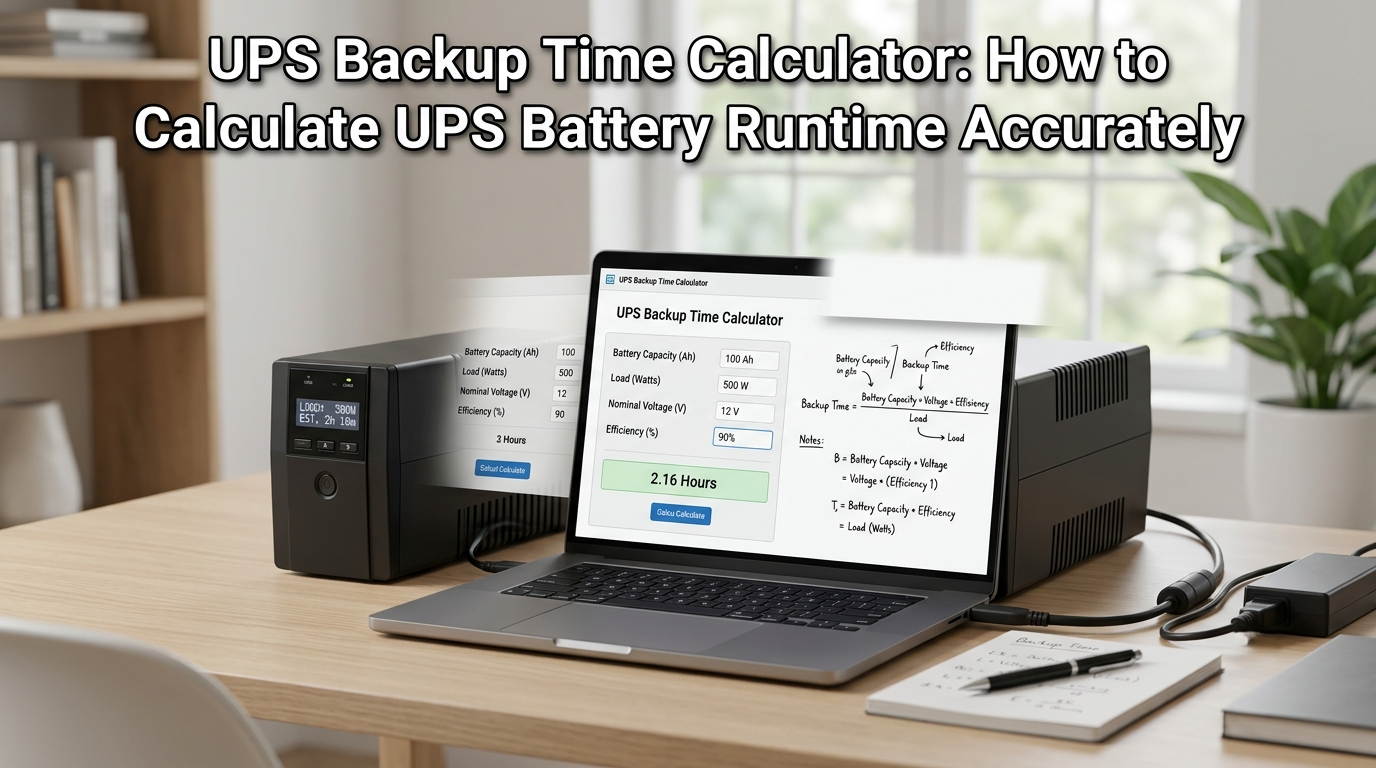
A UPS backup time calculator is one of the most practical tools available to anyone managing critical power protection for computers, networking equipment, medical devices, or any load that cannot tolerate even a brief power interruption. Without knowing how long your UPS will actually run before the battery depletes, you are essentially guessing when it comes to the most important question: will you have enough time to safely shut down systems, transfer to a generator, or ride through the outage entirely?
This guide covers everything about UPS backup time calculation: the exact formula used, how to perform a UPS battery backup calculation step by step, how the APC runtime calculator and similar manufacturer tools work, what factors genuinely affect backup time in real-world conditions, a practical reference table for common UPS sizes and loads, and expert tips for maximizing the runtime you get from any UPS installation.
Table of contents
- What Is a UPS Backup Time Calculator?
- UPS Battery Backup Calculation: The Formula Explained
- APC Runtime Calculator and Manufacturer Tools
- UPS Backup Time Reference Table: Common Configurations
- Factors That Affect UPS Backup Time
- Pros and Cons of Online UPS Backup Time Calculators
- Which UPS Backup Time Calculator Should You Use?
- Tips to Increase UPS Battery Backup Time
- Conclusion
What Is a UPS Backup Time Calculator?
A UPS backup time calculator is a tool — either an online calculator, a manufacturer’s runtime chart, or a manual formula — that estimates how long an Uninterruptible Power Supply will deliver power to connected equipment after the utility supply fails. The calculation takes three key inputs: the UPS battery capacity (measured in volt-amperes or watt-hours), the actual load being powered (in watts), and a correction factor for inverter and battery efficiency losses.
The result tells you how many minutes or hours of backup time are available at a given load level. This figure is critical for battery backup system planning because UPS runtime is not fixed — it changes dramatically depending on how much load is connected. A UPS that provides 30 minutes at 50% load may only provide 8–10 minutes at 90% load, and could potentially provide over an hour at 25% load. Understanding this relationship is the core purpose of any ups backup time calculator.
UPS systems are used across home offices, data centers, industrial control panels and anywhere power quality or continuity is critical. In all these settings, accurately calculating backup time before a power event occurs — rather than discovering the limitation during an actual outage — is the difference between a managed transition and an uncontrolled system failure.
UPS Battery Backup Calculation: The Formula Explained
The Core UPS Backup Time Formula
The fundamental formula for a UPS battery backup calculation is:
Backup Time (hours) = (Battery Capacity in Wh × Efficiency) ÷ Load in Watts
To convert battery capacity from the VA and Ah ratings typically shown on UPS specifications to watt-hours (Wh):
Battery Energy (Wh) = Battery Voltage (V) × Battery Capacity (Ah)
For a UPS with a 12-volt, 9 Ah internal battery: Battery Energy = 12 V × 9 Ah = 108 Wh
With a connected load of 150 watts and an assumed inverter efficiency of 80%:
Backup Time = (108 Wh × 0.80) ÷ 150 W = 86.4 ÷ 150 = 0.576 hours = approximately 34.6 minutes
This is the manual equivalent of what any online ups backup time calculator performs automatically. The efficiency factor (typically 0.75 to 0.90 depending on the UPS inverter design) accounts for the energy lost as heat during the DC-to-AC conversion process inside the UPS inverter.
To estimate the exact runtime of your UPS battery based on load and battery capacity, use our Battery Backup Time Calculator.
How to Calculate UPS Backup Time Step by Step
- Measure or estimate your actual load in watts. Use a plug-in watt meter for the most accurate figure. If you only have the VA rating of connected equipment, multiply VA × 0.8 to approximate watts (most IT and electronic loads have a power factor around 0.8).
- Find your UPS battery specifications: the battery voltage (commonly 12 V for small UPS systems, 24 V or 48 V for larger systems) and the Ah (ampere-hour) rating, both printed on the battery label or in the UPS documentation.
- Calculate battery energy in watt-hours: Wh = Voltage × Ah.
- Apply the efficiency factor (0.80 is a safe default for most line-interactive and standby UPS systems; double-conversion online UPS units may be slightly less efficient at 0.75–0.85).
- Divide: Backup Time (hours) = (Wh × Efficiency) ÷ Load (W). Multiply by 60 to convert to minutes.
- Cross-reference this result against the manufacturer’s published runtime chart (available in the UPS documentation or via tools like the APC runtime calculator) to verify the manual calculation against laboratory-tested values.
APC Runtime Calculator and Manufacturer Tools
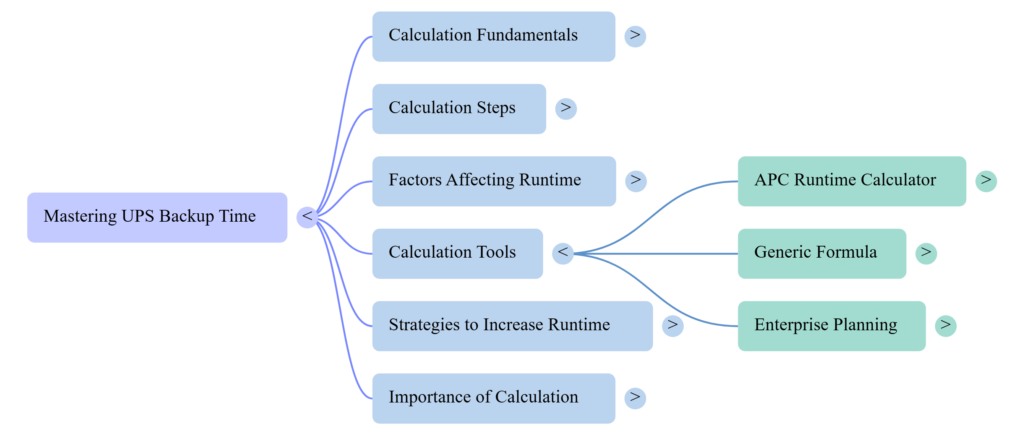
The APC runtime calculator — available on the APC by Schneider Electric website — is one of the most widely used manufacturer-specific ups backup time calculators in the industry. It allows users to select a specific APC UPS model, enter the connected load in watts or VA, and receive a runtime estimate directly from APC’s tested discharge curves for that exact battery configuration.
The advantage of using a manufacturer’s runtime calculator like the APC tool over a generic ups backup time calculator is accuracy: real battery discharge curves are non-linear. A battery does not discharge at the same rate throughout its discharge cycle. At high loads, the battery voltage drops faster than the formula predicts; at low loads, the actual runtime often exceeds what the simple linear formula suggests. Manufacturer tools incorporate empirical discharge data that corrects for this non-linearity.
Other major UPS manufacturers — including Eaton, Vertiv (Liebert), CyberPower, and Riello — offer similar runtime calculators for their product lines. For non-branded or generic UPS systems where no manufacturer calculator is available, the manual formula provides a reliable estimate that conservatively rounds down for safety.
Before calculating UPS backup time, estimate the total connected load with our Home Appliance Energy Calculator.
UPS Backup Time Reference Table: Common Configurations
Use this table as practical reference when performing ups battery backup calculation for typical home, and small business UPS configurations:
| UPS Battery Capacity | Load (Watts) | Efficiency Factor | Estimated Backup Time |
| 600 VA / 360 W (12V 7Ah) | 100 W | 0.80 | ~25–30 min |
| 600 VA / 360 W (12V 7Ah) | 200 W | 0.80 | ~10–12 min |
| 1000 VA / 600 W (12V 9Ah) | 150 W | 0.80 | ~30–35 min |
| 1000 VA / 600 W (12V 9Ah) | 300 W | 0.80 | ~12–15 min |
| 1500 VA / 900 W (12V 12Ah) | 200 W | 0.80 | ~45–50 min |
| 1500 VA / 900 W (12V 12Ah) | 500 W | 0.80 | ~15–18 min |
| 2000 VA / 1200 W (12V 18Ah) | 300 W | 0.80 | ~55–65 min |
| 2000 VA / 1200 W (12V 18Ah) | 600 W | 0.80 | ~25–30 min |
| 3000 VA / 2400 W (External battery) | 500 W | 0.85 | ~90–120 min |
| 3000 VA / 2400 W (External battery) | 1500 W | 0.85 | ~30–40 min |
Note: These figures are estimates based on backup time formula with an 0.80 efficiency factor for internal-battery UPS systems. Actual runtime may vary by ±15–20% depending on battery age, temperature, and specific inverter design. Always verify against the manufacturer’s published discharge curves for your specific UPS model.
Factors That Affect UPS Backup Time
Battery Age and Capacity Degradation
Battery capacity degrades over time regardless of usage. A sealed lead-acid (VRLA) battery used in most UPS systems typically retains 80% of its rated capacity after two to three years of service. After four to five years, runtime can drop to 50–60% of the original specification. A ups backup time calculator that uses the battery’s original Ah rating will overestimate actual runtime for aged batteries. For accurate ups battery backup calculation on systems with batteries older than three years, apply a derating factor of 0.70–0.85 to the Ah value before calculating.
Temperature Effects on UPS Battery Runtime
Battery capacity ratings are measured under standard test conditions at 25°C (77°F), providing consistent reference point for comparing battery performance. For every 10°C above this temperature, battery life shortens by approximately 50%, though the capacity remains similar short-term. Below 25°C, capacity decreases noticeably — at 0°C, a lead-acid battery may deliver only 70–75% of its rated capacity, which directly reduces the runtime a ups backup time calculator predicts. If your UPS operates in a cold environment (warehouse, outdoor enclosure, cold server room), reduce the Ah figure by 20–30% in your ups battery backup calculation.
Load Level and Non-Linear Battery Discharge
As noted above, the relationship between load and runtime is not perfectly linear. At very high loads (above 80% of UPS rated capacity), batteries discharge faster than the formula predicts because the internal voltage drop is more severe. At low loads (below 30% of UPS capacity), runtime may exceed formula predictions because the battery maintains voltage more efficiently at low current draw. For critical applications, always test actual runtime under realistic load conditions rather than relying solely on the ups backup time calculator result.
Number and Age of Battery Strings
Larger UPS systems — 3 kVA and above — typically use multiple batteries in series and/or parallel strings. If one battery in a string is weaker than the others (common in aged battery sets), the entire string is limited to the weakest battery’s capacity. A ups battery backup calculation that assumes uniform battery performance across all cells will overestimate runtime for systems with mixed-age battery banks. This is why complete battery replacements (replacing all batteries simultaneously) always outperform partial replacements for maintaining accurate ups backup time calculator predictions.
Want to understand general battery runtime calculations? Read our Battery Backup Calculator guide.
Pros and Cons of Online UPS Backup Time Calculators
Why Using a UPS Backup Time Calculator Is Always Worth the Effort
- Prevents costly mistake of selecting an undersized UPS that cannot provide adequate runtime for safe system shutdown or generator transfer
- Enables meaningful UPS sizing comparisons — a ups backup time calculator lets you evaluate whether a 1000 VA or 1500 VA unit better suits your specific load at your target runtime
- Manufacturer calculators like the APC runtime calculator incorporate real battery discharge curves, providing results that are more accurate than any linear formula alone
- Planning and documentation: a completed ups battery backup calculation provides a defensible specification for procurement, insurance, or data center design purposes
- Identifies when a battery replacement is overdue — if measured runtime has fallen significantly below the ups backup time calculator prediction, the battery is approaching end of life
Limitations to Account for in Your Battery Backup Calculation
- Formula-based ups backup time calculators assume a flat discharge curve, which overestimates runtime at high loads and underestimates it at low loads compared to real battery behavior
- Battery age and temperature are rarely factored into online calculators — always manually apply derating factors for batteries older than 3 years or operating outside the 20–25°C range
- UPS loads change over time as equipment is added — calculation done during initial setup may become inaccurate as systems expand
- Manufacturer runtime calculators are model-specific; they cannot be used for competing products, which requires maintaining separate calculations for UPS equipment from different suppliers
Which UPS Backup Time Calculator Should You Use?
Best for APC UPS Systems
The APC runtime calculator on APC by Schneider Electric website is most accurate tool for any APC Smart-UPS and Back-UPS. It uses factory-tested discharge data for every APC UPS model and battery configuration, producing runtime estimates that consistently align with field experience. If you are using APC equipment, always use the APC runtime calculator in preference to a generic formula.
Best for Non-APC or Generic UPS Systems
For any UPS system where no manufacturer-specific calculator is available, the manual formula — Backup Time (hours) = (Battery Voltage × Battery Ah × Efficiency) ÷ Load Watts — provides a reliable conservative estimate. Use 0.80 as the efficiency factor for standard line-interactive or standby UPS designs, and 0.85 for newer high-efficiency models. Subtract 15–20% from the result to build in safety margin that accounts for battery discharge non-linearity at moderate loads.
Best for Data Center and Enterprise UPS Planning
Enterprise data center UPS planning requires a full ups battery backup calculation that accounts for total critical load (measured with power monitoring equipment, not estimated from nameplate ratings), battery string configuration, temperature correction for the installation environment, battery age derating, and the time required for the automatic transfer to generator. Online UPS battery backup calculators from enterprise vendors such as Eaton, Vertiv, or Schneider Electric’s EcoStruxure platform handle this complexity and produce site-specific runtime reports suitable for infrastructure documentation.
Tips to Increase UPS Battery Backup Time
- Reduce load: the single most effective way to extend backup time is to power only essential devices through the UPS. Remove printers, external monitors, non-critical networking gear, and decorative devices from the UPS circuit
- Replace batteries proactively: replace VRLA batteries every 3–4 years before capacity degradation significantly reduces runtime below your ups backup time calculator predictions
- Add external battery packs: many UPS systems support external battery modules (EBMs) that double or triple the battery capacity without changing the UPS unit itself — immediately multiplying the backup time proportionally
- Control temperature: keep UPS equipment in a cool, ventilated space. Batteries operating at 20°C retain significantly more capacity than those running at 30–35°C over the same service life
- Maintain battery conditioning: some UPS models offer automatic battery exercise cycles. Enable this feature to prevent sulfation (capacity-reducing crystalline buildup) in lead-acid batteries that sit on float charge for extended periods
- Use high-efficiency equipment: modern computers, servers, and networking gear draw significantly less power than older equivalents. Replacing aging equipment with energy-efficient models reduces UPS load and directly extends runtime
If you’re connecting a desktop computer to a UPS, use our PC Watt Calculator guide to estimate its power requirements.
Conclusion
A UPS backup time calculator is not a luxury — it is a basic requirement for any responsible power protection planning. Knowing in advance how many minutes your UPS will provide at your specific load level determines whether you can safely execute a controlled shutdown, whether your generator will come online in time, and whether the UPS system you have actually fits the protection scenario you need it to cover.
The formula is straightforward: battery watt-hours multiplied by inverter efficiency, divided by load in watts. But the real value comes from applying that formula honestly — with realistic load measurements rather than nameplate estimates, with battery derating for age and temperature, and with a safety margin that accounts for the non-linear realities of battery discharge. Manufacturer tools like the APC runtime calculator refine this further with empirical data that linear formulas cannot replicate.
Whether you are protecting a single workstation, a server closet, or a critical industrial control system, an accurate ups battery backup calculation is the foundation of every UPS sizing decision. Calculate before you buy, recalculate as loads change, and test actual runtime periodically to confirm that your batteries are delivering the protection your ups backup time calculator predicts.
Explore our Smart Home guides for battery backup, appliance energy usage, electrical calculations, and home efficiency tips.
Frequently Asked Questions
1. What is the formula for UPS backup time calculation?
The standard ups backup time formula is: Backup Time (hours) = (Battery Voltage × Battery Ah × Efficiency Factor) ÷ Load in Watts. For example, a UPS with a 12 V, 9 Ah battery, 80% inverter efficiency, and a 200-watt load: Backup Time = (12 × 9 × 0.80) ÷ 200 = 86.4 ÷ 200 = 0.432 hours = approximately 26 minutes. Multiply the hour result by 60 to convert to minutes.
2. How does the APC runtime calculator work?
The APC runtime calculator is a web-based tool on the APC website that allows you to select your specific APC UPS model, enter the connected load in watts or VA, and receive a runtime estimate based on APC’s laboratory-tested battery discharge curves for that exact model. Unlike the generic formula, the APC runtime calculator uses empirical data that accounts for the non-linear voltage drop at different discharge rates, producing results that more closely match real-world performance.
3. Why does my actual UPS runtime differ from the calculator’s estimate?
Several factors can cause actual runtime to differ from ups backup time calculator predictions: battery age (capacity degrades 20–30% after 3 years of service), operating temperature (cold batteries deliver less capacity), load measurement accuracy (nameplate watts often exceed actual draw), and battery discharge non-linearity at high load levels. To improve accuracy, measure actual load with a watt meter, apply a 15–20% safety margin to calculator results, and replace batteries every 3–4 years.
4. How much load should I put on a UPS for maximum backup time?
For maximum backup time, load the UPS to 20–30% of its rated watt capacity. A 1000 VA / 600 W UPS delivers its longest runtime when powering approximately 150–200 watts of load. However, this may mean you are overpaying for UPS capacity. For most practical applications, sizing the UPS so the connected load represents 40–60% of the watt capacity provides a good balance between unit cost, runtime, and safety margin.
5. Can I extend UPS backup time by adding external batteries?
Yes — many UPS systems, particularly line-interactive and online double-conversion models from 1 kVA and above, support external battery modules (EBMs) that connect to the UPS and expand battery capacity. Adding one EBM typically doubles the backup time; two EBMs approximately triples it. When recalculating with external batteries, add the additional battery watt-hours to the formula: total Wh = (internal battery Wh) + (external battery Wh), then apply the same ups backup time formula.