Google Meet Time Limit Explained — Free & Paid Plans
If you’ve ever been cut off mid-meeting or wondered how long your session can actually run, understanding the Google Meet time limit is essential. Whether you’re a teacher hosting an online class, a freelancer running a client call, or a business team conducting daily standups, knowing exactly what limits apply to your account prevents frustrating interruptions. This complete guide breaks down the Google Meet time limit for free users and every paid plan, explains participant caps, and shows you exactly how to get the most out of every session.
Table of contents
- What Is the Google Meet Time Limit?
- Google Meet Free Time Limit — What Free Users Get
- Does Google Meet Have a Time Limit on Paid Plans?
- How Long Can a Google Meet Meeting Last? — Feature Breakdown
- Google Meet Plan Limits at a Glance
- Google Meet Free vs Paid — Pros and Cons
- Which Google Meet Plan Is Best for You?
- How to Avoid Google Meet Time Restrictions
- Conclusion
What Is the Google Meet Time Limit?
The Google Meet time limit refers to the maximum duration a single video meeting session can run before it automatically ends or begins issuing warnings. The limit varies significantly depending on whether you’re on a free Google account or a paid Google Workspace subscription.
Google introduced meeting duration caps as part of its freemium model — giving free users enough functionality to get started while incentivizing upgrades for power users, educators, and businesses who need longer, unrestricted sessions. The google meet time limit is not a technical limitation but a plan-level policy that Google actively enforces with countdown warnings before a session ends.
Understanding the google meet meeting duration rules for your account type is the first step toward planning meetings that don’t get cut off at a critical moment.
Google Meet Free Time Limit — What Free Users Get
The google meet free time limit is the most searched aspect of this topic — and for good reason. Millions of users rely on Google Meet’s free tier for personal and professional calls, and the limit directly affects how those meetings are planned.
Longer meetings can increase team costs and reduce productivity. Use our Meeting Cost Calculator to estimate the real cost of your meetings.
Free Account Meeting Duration Rules
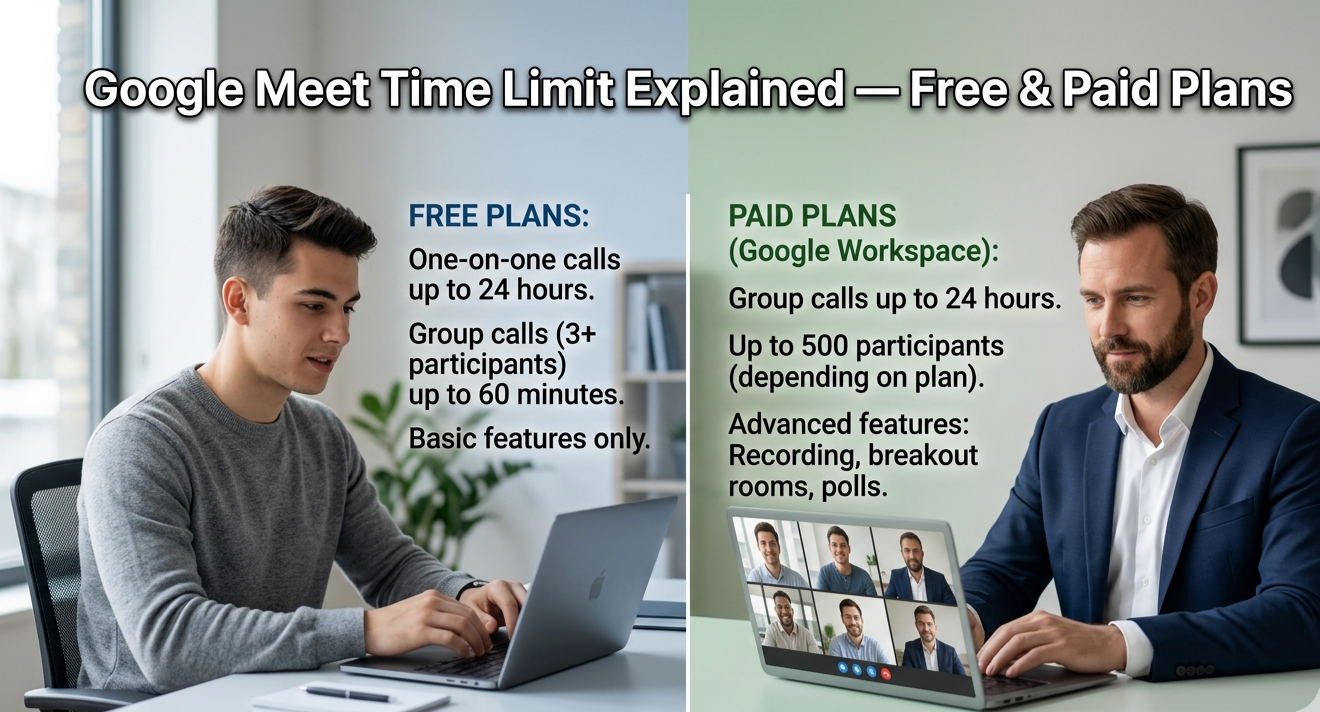
For free personal Google accounts, the Google Meet time limit is 60 minutes per meeting for calls with 3 or more participants. One-on-one calls between two participants have no time limit on free accounts — they can run indefinitely.
Key details for free account users:
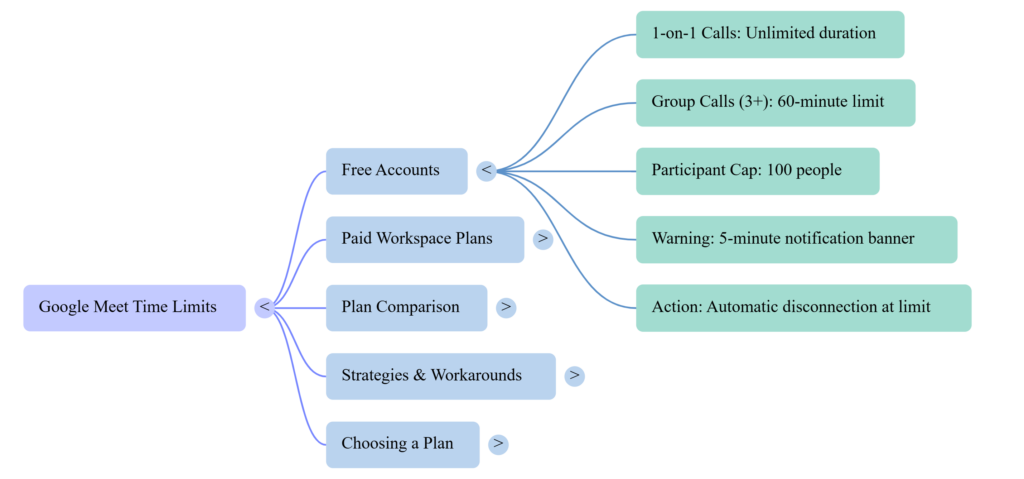
- 1-on-1 calls: Unlimited duration
- Group calls (3+ participants): 60-minute maximum
- Maximum participants: 100 people per meeting
- Warning system: Google Meet sends a notification approximately 5 minutes before the session ends
- After the limit: The meeting ends automatically and all participants are disconnected
This google meet limit for free users is consistent across all free personal Google accounts regardless of device or location.
What Happens When the Time Limit Is Reached
When the google meet time limit approaches on a free account group call, participants see a notification banner warning them that the meeting will end soon. At exactly 60 minutes, the session closes automatically and every participant receives a “Meeting ended” screen.
There is no automatic extension on free accounts. However, the host can immediately start a new meeting with a fresh link and invite everyone back — effectively restarting the session. While not ideal for long presentations or workshops, this workaround keeps free users operational without upgrading.
Does Google Meet Have a Time Limit on Paid Plans?
Yes — but the google meet time limit for paid plans is dramatically more generous than the free tier, and for most Google Workspace plans, it effectively removes the time constraint entirely for standard use.
Paid Account Meeting Duration Limits
For Google Workspace subscribers, the google meet paid plan limits are as follows:
- Business Starter: Up to 24 hours per meeting
- Business Standard: Up to 24 hours per meeting
- Business Plus: Up to 24 hours per meeting
- Enterprise plans: Up to 24 hours per meeting
- Google Workspace for Education: Up to 24 hours per meeting (with enhanced controls for teachers)
A 24-hour google meet maximum meeting time covers virtually every real-world use case — from all-day virtual conferences to full-day training sessions and extended remote work sessions.
If you need to save important discussions, read our Google Meet Recording Guide to learn how recordings work across different plans.
Google Workspace Plans and Meeting Limits
Beyond meeting duration, each Google Workspace plan tier also expands participant capacity and unlocks premium features. The google meet video call duration of 24 hours applies across all paid tiers, but the number of participants you can host scales with your plan level.
Business Starter supports up to 100 participants — the same as the free tier in headcount, but with the 24-hour duration advantage. Business Standard raises the cap to 150 participants. The Business Plus supports up to 500 participants. Enterprise editions support up to 1,000 participants per call.
For any organization where meetings regularly exceed one hour or require more than 100 attendees, upgrading is the clear solution to the google meet time limit constraint.
How Long Can a Google Meet Meeting Last? — Feature Breakdown
To answer how long can a google meet last definitively: it depends entirely on your plan. Free accounts get 60 minutes for group calls. Every paid Workspace plan gives you 24 hours. The feature breakdown below covers every relevant dimension of google meet meeting duration so you can plan sessions with confidence.
Google Meet Maximum Meeting Time by Plan
The google meet maximum meeting time of 24 hours on paid plans is not a practical ceiling anyone approaches regularly — it exists to ensure that no legitimate business use case ever hits a hard stop. Marathon sessions, full-day virtual events, and extended training programs all run comfortably within this window.
For free users, the 60-minute google meet time limit is the binding constraint that most frequently impacts real-world use. Planning group meetings under 55 minutes on a free account is the simplest way to avoid the cut-off warning.
Google Meet Participant Limits Explained
The google meet participant limit is a separate but related dimension of meeting restrictions. Here’s how it scales across account types:
- Free accounts: Up to 100 participants
- Business Starter: Up to 100 participants
- Business Standard: Up to 150 participants
- Business Plus: Up to 500 participants
- Enterprise: Up to 1,000 participants
For small teams and personal use, the 100-participant cap on free and Starter accounts is rarely a constraint. For large webinars, company-wide all-hands meetings, or virtual conferences, Business Plus or Enterprise tiers provide the capacity needed.
Google Meet Plan Limits at a Glance
| Plan | Time Limit | Max Participants | Recording | Price Tier |
|---|---|---|---|---|
| Free (Personal) | 60 min (group) / Unlimited (1-on-1) | 100 | No | Free |
| Business Starter | 24 hours | 100 | Yes | Paid |
| Business Standard | 24 hours | 150 | Yes | Paid |
| Business Plus | 24 hours | 500 | Yes | Paid |
| Enterprise | 24 hours | 1,000 | Yes | Paid |
| Workspace Education | 24 hours | 100–500 | Yes | Education |
Google Meet Free vs Paid — Pros and Cons
Understanding the google meet free vs paid distinction helps you decide whether upgrading makes sense for your specific situation.
Free Plan — Pros:
- No cost — zero subscription required
- One-on-one calls run with no time limit at all
- Supports up to 100 participants per group call
- Full access to core Google Meet features (screen sharing, chat, captions)
- Ideal for casual personal use, small family calls, and infrequent meetings
Free Plan — Cons:
- 60-minute hard cap on all group calls with 3+ participants
- No meeting recording capability
- No noise cancellation features
- No breakout rooms
- No attendance tracking or meeting reports
Paid Plans — Pros:
- 24-hour meeting duration removes the google meet time limit as a practical concern
- Meeting recording saved to Google Drive
- Noise cancellation for cleaner audio
- Breakout rooms for group collaboration
- Attendance reports and host controls
- Higher participant caps for larger meetings
If you’re evaluating alternatives, check out our Google Meet vs Zoom comparison to see how meeting limits differ.
Paid Plans — Cons:
- Monthly or annual subscription cost per user
- Business Starter still caps participants at 100 — same as free
- Overkill for users who only need occasional short meetings
Which Google Meet Plan Is Best for You?
Choosing the right plan to manage the google meet time limit comes down to three questions: How often do you meet? How long are your sessions? How many people attend?
Stay on the free plan if: You primarily have one-on-one calls, your group meetings consistently run under 50 minutes, and you don’t need recording or advanced host controls. The free tier is genuinely powerful for these use cases.
Upgrade to Business Starter if: You run regular group meetings that exceed 60 minutes, work with a small team, and need meeting recordings for reference or compliance purposes.
Choose Business Standard or Plus if: You host webinars, large team meetings, or training sessions with 100+ attendees, or if breakout rooms and attendance reports are part of your workflow.
Choose Enterprise if: You’re running organization-wide video conferencing at scale, need advanced security controls, or regularly host events with hundreds of participants.
For most small business owners, educators, and freelancers, Business Standard hits the best balance of price, google meet video call duration, and feature set.
How to Avoid Google Meet Time Restrictions
If upgrading isn’t an option right now, there are practical ways to work within the google meet free time limit without disrupting your meetings.
Upgrading Google Meet Plans to Remove Limits
The most permanent solution is upgrading to any Google Workspace paid plan. Even Business Starter — the entry-level paid tier — eliminates the 60-minute google meet time limit entirely, giving you 24-hour sessions for a modest monthly cost per user.
Companion Mode can improve participation during hybrid meetings. Learn more in our Companion Mode in Google Meet guide.
For users who can’t upgrade immediately, these workarounds help:
- Schedule meetings under 55 minutes: Build your agenda to complete within the free window comfortably, with 5 minutes as a buffer before the warning
- Use the restart method: When the session ends, immediately create a new meeting link and send it to participants — they rejoin within 30–60 seconds
- Switch to 1-on-1 for key calls: If your critical meeting involves only two people, the free google meet time limit doesn’t apply at all
- Use Google Meet via Google Workspace for Education: If you’re an educator or student, Education accounts have 24-hour limits — check if your institution provides access
Conclusion
The Google Meet time limit is one of the most important factors in deciding which plan is right for your needs. Free accounts give you unlimited one-on-one calls and 60-minute group sessions — genuinely useful for light use. Every paid Google Workspace plan removes the google meet time limit as a practical concern, offering 24-hour session lengths alongside recording, breakout rooms, and expanded participant capacity.
For anyone running regular meetings longer than an hour, hosting team calls with more than 100 participants, or needing recordings for professional use, upgrading to even the entry-level paid plan is a straightforward decision that immediately eliminates the most common frustration free users experience.
Explore our Digital Productivity guides for workplace collaboration tips, meeting tools, and productivity calculators.
Know your usage pattern, match it to the right plan, and the google meet time limit will never interrupt an important meeting again.
Frequently Asked Questions
Does Google Meet cut you off after 60 minutes?
Yes — on free personal Google accounts, group calls with 3 or more participants end automatically after 60 minutes. One-on-one calls between two participants have no time limit on free accounts. All paid Google Workspace plans extend this to 24 hours.
What happens when the Google Meet time limit ends?
Google Meet sends a warning notification approximately 5 minutes before the session ends. When the time limit is reached, the meeting closes automatically and all participants see a “Meeting ended” message. The host can immediately start a new meeting to continue.
Is the Google Meet time limit 60 minutes for everyone?
No. The 60-minute google meet time limit applies only to free personal Google accounts on group calls. All Google Workspace paid plans — including Business Starter, Standard, Plus, and Enterprise — allow meetings up to 24 hours.
Can I extend a Google Meet past 60 minutes for free?
Not within the same session. However, you can end the meeting and immediately start a new one with the same participants. There is no limit on how many meetings you can create on a free account — only on how long each group session runs.
How many people can join a free Google Meet?
Free Google accounts support up to 100 participants per meeting. This limit increases to 150 on Business Standard, 500 on Business Plus, and 1,000 on Enterprise plans.
Does Google Meet have a time limit for education accounts?
Google Workspace for Education accounts have a 24-hour meeting duration limit — the same as paid business accounts. If you’re a teacher or student with an institutional Google account, the 60-minute free-tier restriction does not apply to you.