UPS Battery Backup Calculation: Complete Formula, Calculator & Runtime
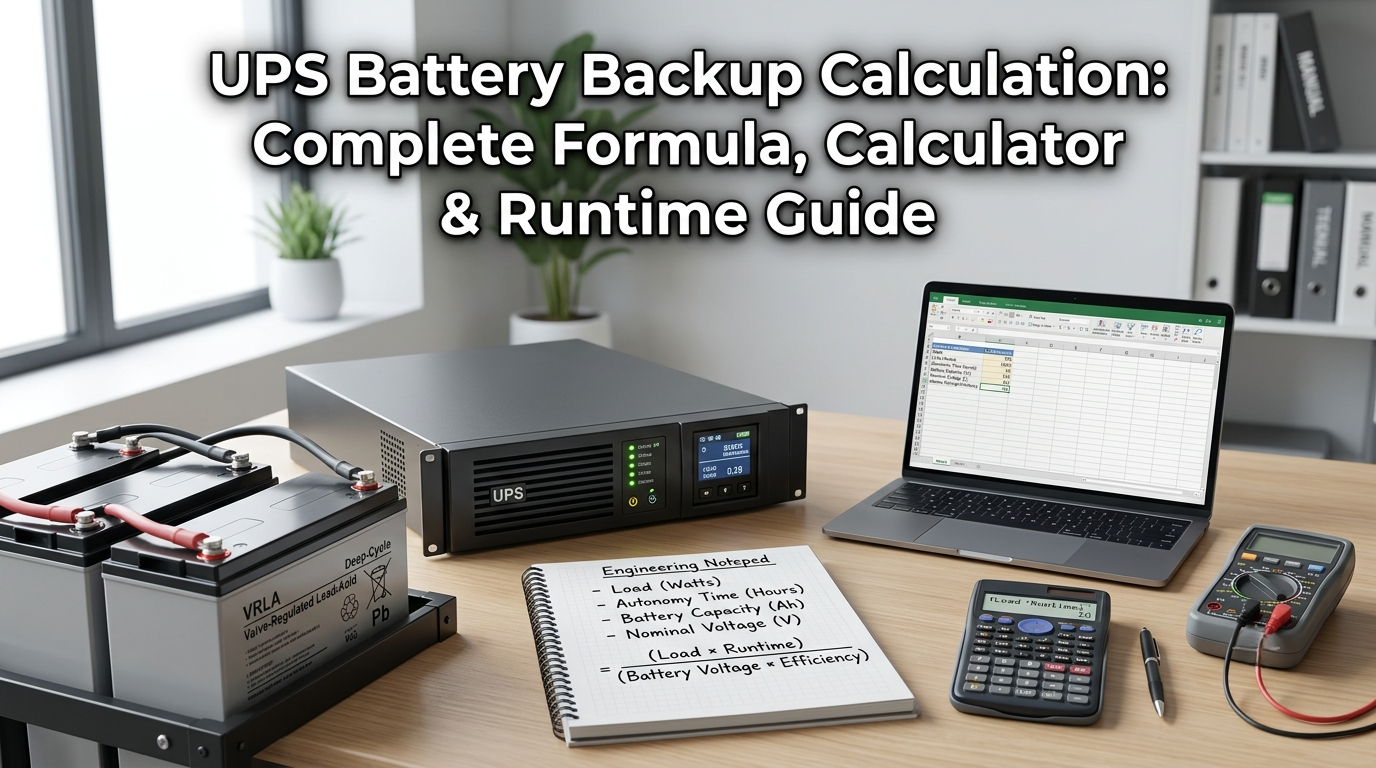
Accurate ups battery backup calculation is the foundation of every reliable power protection decision. Without it, you are essentially guessing whether your UPS will provide enough time to safely shut down servers, complete a critical task, or ride through a short outage — and guessing wrong can mean data loss, hardware damage, or worse. Whether you are sizing a new UPS, evaluating whether an existing unit meets your needs, or trying to understand why your UPS lasts only a fraction of its specified runtime, the ups battery backup calculation gives you the precise, quantitative answer.
This guide covers the complete ups battery backup calculation process: the exact formula, a step-by-step walkthrough, a reference table for common UPS sizes and loads, the factors that reduce real-world runtime below calculated values, how tools like the apc runtime calculator and other ups runtime calculators work, and expert tips for maximizing the backup time you actually get from your UPS batteries.
What Is UPS Battery Backup Calculation?
UPS battery backup calculation is the process of determining how long an Uninterruptible Power Supply can continue delivering power to connected equipment after the utility supply fails. It is based on a straightforward mathematical relationship: the energy stored in the UPS battery (in watt-hours) divided by the load being powered (in watts), adjusted for the efficiency losses inherent in the DC-to-AC conversion process inside the UPS inverter.
The calculation matters because UPS runtime is not fixed characteristic — it changes dramatically depending on how much load is connected. The same UPS that provides 45 minutes of backup for 150-watt load might provide only 12 minutes for 400-watt load. Manufacturers publish runtime charts based on test data at specific loads, but any load that differs from those tested values requires a direct ups battery backup calculation to estimate accurately.
For battery backup planning across both residential and enterprise applications, the ups battery backup calculation also tells you how large a battery bank you need to achieve a required runtime target — the inverse of the standard calculation that goes from battery size to runtime.
UPS Battery Backup Time Formula
The core ups battery backup calculation formula is:
Backup Time (hours) = (Battery Voltage × Battery Ah × Efficiency) ÷ Load in Watts
Where:
- Battery Voltage: the nominal voltage of the UPS battery (12V is standard for most small to medium UPS units; 24V, 48V, or 96V for larger systems with multiple batteries in series)
- Battery Ah (Ampere-hours): the capacity rating printed on the battery label — the amount of charge the battery can deliver at a given rate
- Efficiency: the inverter’s DC-to-AC conversion efficiency, expressed as a decimal (0.80 for a typical line-interactive or standby UPS; 0.85–0.90 for higher-efficiency online double-conversion UPS systems)
- Load in Watts: the actual power drawn by all devices connected to the UPS output — measured with a watt meter, not estimated from nameplate VA ratings
For a quick estimate based on battery capacity, load, and efficiency, use our Battery Backup Time Calculator.
Converting the result to minutes: multiply hours by 60.
Example: A UPS with a 12V, 9Ah battery supplying a 150W load at 80% efficiency:
Backup Time = (12 × 9 × 0.80) ÷ 150 = 86.4 ÷ 150 = 0.576 hours = 34.6 minutes
Reverse Calculation: How Much Battery Do I Need?
The ups battery backup calculation can also be run in reverse — starting from the required runtime and working back to the minimum battery capacity needed:
Required Wh = Load (W) × Required Runtime (hours) ÷ Efficiency
Then: Required Ah = Required Wh ÷ Battery Voltage
Example: You need 2 hours of backup for a 400W load at 85% efficiency:
Required Wh = 400 × 2 ÷ 0.85 = 941 Wh
Required Ah = 941 ÷ 12 = 78.4 Ah
This result would require a 100Ah external battery bank connected to a compatible UPS or inverter — far beyond what internal batteries in typical consumer UPS units provide. This is exactly why the ups battery backup calculation is essential before purchasing: it reveals when a standard UPS cannot meet your runtime requirement, and tells you the external battery capacity needed to bridge the gap.
APC Runtime Calculator and UPS Runtime Calculators Explained
The apc runtime calculator, available on the APC by Schneider Electric website, is a model-specific tool that estimates runtime for any APC UPS product based on your connected load in watts or VA. Unlike the generic formula, the apc runtime calculator uses actual battery discharge curves measured at APC’s testing facilities — incorporating the non-linear relationship between load level, battery voltage drop, and available capacity that the linear formula approximates but does not perfectly replicate.
The advantage of manufacturer-specific ups runtime calculators over the generic formula is accuracy under high-load conditions. At very high loads (above 70% of UPS capacity), batteries discharge faster than the linear formula predicts because internal voltage drops more steeply. At very low loads, actual runtime often exceeds formula predictions. A properly calibrated ups runtime calculator accounts for this non-linearity using empirical discharge data.
If you are unsure how to determine an appliance’s wattage, our How to Find Watts guide explains the formulas and calculations.
When to Use a Generic Formula vs. a Manufacturer Calculator
- Use the generic ups battery backup calculation formula for: quick estimates, non-APC UPS units where no manufacturer calculator exists, external battery sizing, and inverter sizing for battery backup applications
- Use the apc runtime calculator or equivalent manufacturer tool for: APC-specific products where maximum accuracy matters, data center planning, and any application where the formula’s ±15–20% margin could affect critical decision-making
- Always add a 15–20% safety margin to any calculated runtime: batteries age, efficiency degrades, and nameplate Ah ratings assume ideal temperature and discharge rates that real conditions never perfectly match
UPS Battery Backup Calculation Reference Table
This table applies the ups battery backup calculation formula (Voltage × Ah × Efficiency ÷ Load) to common UPS sizes and loads, giving you a quick visual reference for sizing decisions:
| UPS Capacity | Connected Load | Battery (Ah @ V) | Efficiency | Estimated Runtime |
| 600 VA / 360 W | 100 W | 12V 7Ah | 80% | ~33 min |
| 600 VA / 360 W | 200 W | 12V 7Ah | 80% | ~13 min |
| 1000 VA / 600 W | 150 W | 12V 9Ah | 80% | ~35 min |
| 1000 VA / 600 W | 300 W | 12V 9Ah | 80% | ~14 min |
| 1500 VA / 900 W | 200 W | 12V 12Ah | 80% | ~46 min |
| 1500 VA / 900 W | 500 W | 12V 12Ah | 80% | ~18 min |
| 2000 VA / 1200 W | 300 W | 12V 18Ah | 80% | ~58 min |
| 3000 VA / 2400 W | 500 W | External 100Ah | 85% | ~102 min |
| 3000 VA / 2400 W | 1500 W | External 100Ah | 85% | ~34 min |
Note: All runtimes use 80–85% inverter efficiency. Real-world results may vary ±15–20% due to battery age, temperature, and load characteristics. Always verify against the manufacturer’s published discharge data for your specific UPS model.
Before calculating UPS runtime, estimate the total power consumption of your connected appliances with our Home Appliance Energy Calculator.
Factors That Affect UPS Battery Backup Calculation Results
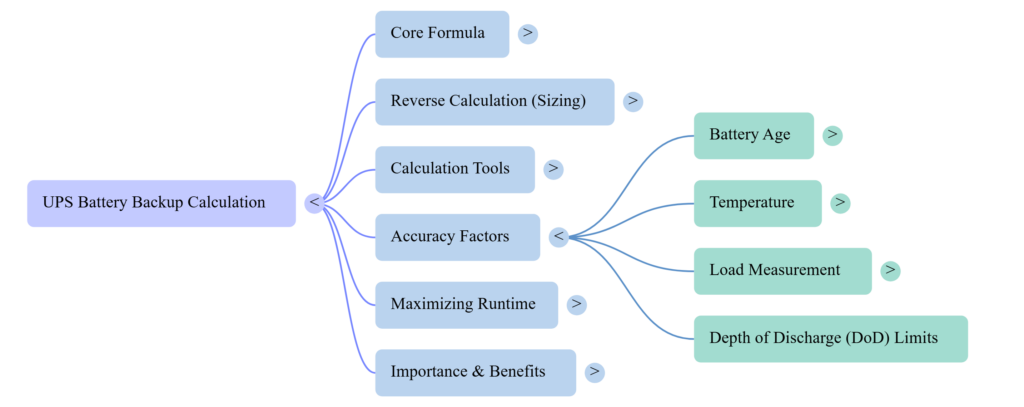
Battery Age and Capacity Degradation
Lead-acid VRLA batteries — used in the vast majority of UPS systems — degrade over time. A battery that tests at 100% rated capacity when new typically retains only 80% after two to three years, and may drop to 60–65% after four to five years of normal float-charge service. Any ups battery backup calculation using the original nameplate Ah value will overestimate runtime for batteries past the two-year mark. Apply derating factor of 0.75 – 0.85 to Ah value for batteries aged 3–5 years to account for this degradation.
Operating Temperature
Battery capacity ratings are measured at a standard temperature of 25°C (77°F). At 0°C, lead-acid batteries typically deliver only 70–75% of their rated capacity, dramatically reducing the runtime your ups battery backup calculation would predict at standard conditions. Conversely, batteries operating above 30°C retain similar short-term capacity but age significantly faster — each 10°C above 25°C approximately halves the battery’s remaining service life. For UPS systems in cold rooms, outdoor enclosures, or warm server environments, temperature correction factors must be applied to the Ah value in your calculation.
Load Accuracy
The single most common reason that ups battery backup calculation results differ from actual measured runtime is inaccurate load data. Many people use nameplate VA ratings from equipment to estimate load, but actual power draw is often 30–50% lower than nameplate due to partial loading and power factor correction circuits in modern electronics. Use a plug-in watt meter (such as a Kill-A-Watt) to measure actual load in watts before performing your ups battery backup calculation — this single step dramatically improves the accuracy of your result.
To understand how the combined wattage of multiple appliances affects your UPS system, read our Connected Load guide.
Depth of Discharge Limits
Most UPS manufacturers recommend limiting discharge to 80% of rated battery capacity to extend battery service life — this is called the Depth of Discharge (DoD) limit. Allowing batteries to discharge below 80% DoD regularly shortens their service life significantly. To incorporate this into your ups battery backup calculation, multiply the available Wh by 0.80 before dividing by load. This produces a more conservative runtime estimate but more accurately reflects the runtime the UPS will actually deliver in service before the low-battery cutoff engages.
Pros and Cons of Performing Your Own UPS Battery Backup Calculation
Why Calculating UPS Battery Backup Yourself Is Essential
- Prevents the costly mistake of deploying an undersized UPS that cannot provide adequate shutdown time
- Reveals when battery replacement is overdue — if measured runtime has fallen significantly below the calculated value, the battery has aged past its useful life
- Enables meaningful comparison between UPS models and battery configurations before purchasing
- Essential for sizing external battery modules (EBMs) when the target runtime exceeds internal battery capacity
- Provides documented justification for UPS capacity decisions in data center, healthcare, or industrial environments where auditable specifications are required
Limitations to Account For in Every Calculation
- The linear formula overestimates runtime at high loads and underestimates it at low loads — always apply 15–20% safety margin
- Battery age, temperature, and usage history affect capacity in ways that are difficult to calculate precisely without real-time battery health data
- Manufacturer-specific ups runtime calculators (like the apc runtime calculator) incorporate empirical discharge data that produces more accurate results than the generic formula for their specific products
Tips to Increase UPS Battery Backup Time
- Reduce connected load: remove non-critical devices from the UPS circuit — printers, secondary monitors, decorative equipment — so the inverter powers only what genuinely must stay on during an outage
- Replace batteries before they degrade past the 80% capacity threshold: proactive replacement every 3–4 years maintains the accuracy of your ups battery backup calculation over the system’s life
- Add external battery modules: many UPS systems from 1 kVA and above support EBMs that expand battery capacity without changing the UPS unit — each EBM typically doubles or triples the available runtime
- Keep UPS batteries at or near 25°C: avoid cold rooms and hot equipment closets, both of which reduce effective battery capacity and increase degradation rate
- Enable battery conditioning: some UPS models perform automatic exercise cycles that prevent sulfation — a crystalline buildup that permanently reduces the capacity of lead-acid batteries stored on float charge for extended periods
- Use your ups runtime calculator or the apc runtime calculator to re-evaluate your battery backup setup after any significant load change — adding new equipment, removing old equipment, or adding EBMs all change the calculation
Conclusion
UPS battery backup calculation is not a one-time activity — it is an ongoing discipline that should be revisited whenever loads change, batteries age, or new equipment is added to the protected circuit. The formula itself is simple: battery watt-hours multiplied by inverter efficiency, divided by load watts. But applying it accurately requires honest inputs: measured load rather than estimated nameplate values, age-derated battery capacity rather than original Ah ratings, and a 15–20% safety margin to account for the real-world factors that the formula cannot capture precisely.
For APC UPS systems, the apc runtime calculator provides the most accurate estimates because it uses empirical discharge curve data rather than the linear formula approximation. For all other systems, the generic ups battery backup calculation formula combined with a measured load and honest derating factors produces reliable, actionable results. Whether you are planning a new UPS deployment, verifying that an existing system meets your protection requirements, or sizing an external battery expansion, the calculation is always the right starting point.
Explore our Smart Home guides for battery backup calculations, appliance energy usage, electrical formulas, and home energy efficiency.
Frequently Asked Questions
1. What is the formula for UPS battery backup calculation?
The core ups battery backup calculation formula is: Backup Time (hours) = (Battery Voltage × Battery Ah × Inverter Efficiency) ÷ Load in Watts. Multiply by 60 for minutes. For example, a 12V 9Ah battery at 80% efficiency powering a 150W load: (12 × 9 × 0.80) ÷ 150 = 0.576 hours = 34.6 minutes.
2. How does the APC runtime calculator work?
The apc runtime calculator accepts your specific APC UPS model and connected load in watts, then returns a runtime estimate based on APC’s laboratory-tested battery discharge curves for that exact product. Unlike the generic formula, the apc runtime calculator accounts for the non-linear relationship between load level and available capacity, producing results that more closely match real-world performance than linear calculations alone.
3. Why does my actual UPS runtime differ from my calculation?
The most common reasons for discrepancy in ups battery backup calculation versus real performance are: battery age (capacity degrades 20–30% after 3 years), inaccurate load measurement (nameplate VA is not watts), operating temperature below 25°C, and the non-linearity of battery discharge at high loads. Apply 15–20% safety margin to all calculations and use a watt meter for load measurement to minimize these errors.
4. How do I calculate how much battery I need for a target runtime?
Reverse the ups battery backup calculation: Required Wh = Load (W) × Target Runtime (hours) ÷ Efficiency. Then Required Ah = Required Wh ÷ Battery Voltage. Add a 20% reserve margin. For a 400W load requiring 2 hours at 85% efficiency: 400 × 2 ÷ 0.85 = 941 Wh; 941 ÷ 12 = 78.4 Ah minimum — round up to a 100Ah external battery bank.
5. Can I extend my UPS backup time by adding external batteries?
Yes — many UPS systems from 1 kVA and above support external battery modules (EBMs) or can be connected to external battery banks. Adding one EBM typically doubles the available Wh and therefore the runtime. Recalculate using the total Wh of internal plus external batteries: Total Wh = (Internal Battery Ah × Internal Battery V) + (External Battery Ah × External Battery V), then apply the efficiency factor and divide by load.
6. How does battery age affect UPS battery backup calculation?
Lead-acid VRLA batteries used in most UPS systems lose capacity over time. A battery retaining 80% capacity at year 3 and 65% at year 5 will produce runtimes 20–35% shorter than the nameplate Ah figure suggests. To incorporate this into your ups battery backup calculation, multiply the Ah value by a derating factor: 0.85 for batteries 2–3 years old, 0.75 for batteries 3–4 years old, and 0.65 or less for batteries past 4 years. Battery replacement every 3–4 years maintains calculation accuracy and system reliability.